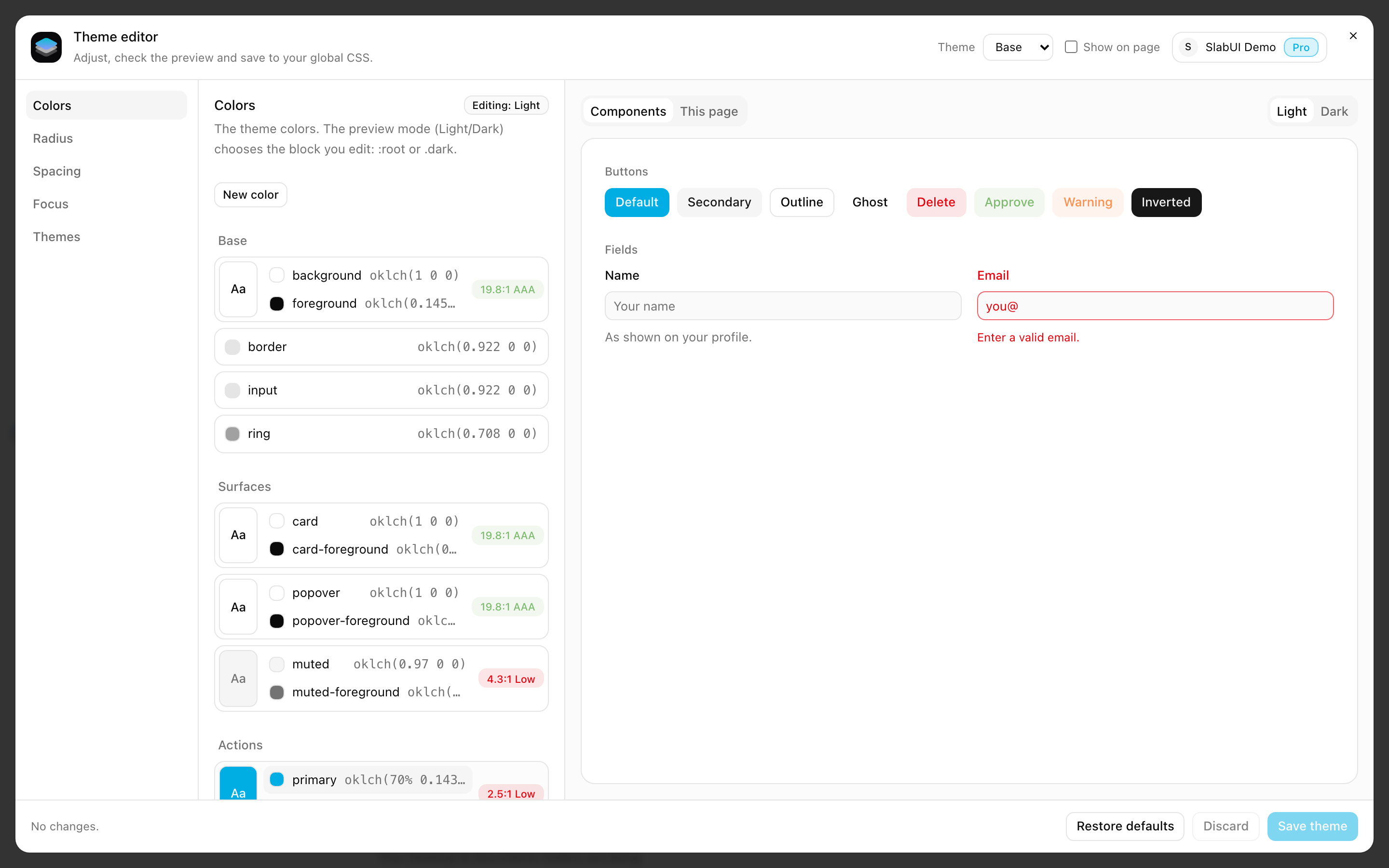
The theme editor opens on top of your app while you develop. Drag a slider, pick a color or choose a preset, and your components and your own pages update instantly: no rebuild, no reload, no switching between files and the browser. When the theme looks right, save it, and it is part of your project.
Why use it
- Real time. Every change shows in the preview as you make it, on the SlabUI components installed in your project and on the page you are on.
- Full control. Colors, radius, spacing, text size and focus, in light and dark mode, each with precise controls and ready-made presets.
- Confidence before saving. Changes are a draft until you save. Compare, adjust, discard or restore the defaults at any moment.
- Accessible by default. Each text and background pair shows its contrast and WCAG level while you edit, so you see right away when a color gets too light to read.
- More than one theme. Create, duplicate and edit themes for different brands or clients in the same project, and preview each one on your page.
What you can edit
See Using the editor for each section.
How it works
The editor has two parts, both from @slabui/theme-react:
- The plugin (
withThemefor Next.js,themes()for Vite) runs inside your dev server and saves your theme to your project. <ThemeEditor />goes in your app: it shows the button that opens the editor and the live preview.
Both exist only in development. The plugin does nothing in next build,
next start, vite build or vite preview, and <ThemeEditor /> renders
nothing outside development, so it can stay in your layout: people using your
app in production never see it.
SlabUI account
The editor asks you to sign in to your SlabUI account the first time you open
it. It uses the same login as the CLI: if you already ran npx slabui login,
you are signed in. Sign in with the browser opens the login page, and the
editor continues when you come back.
Requirements
- React 19.
- Next.js 15 or later with the App Router, or Vite 6 or later.
- Node.js 22.12 or later.
- A project set up with the CLI (
slabui init).
Set up
Go to Installation and choose your
framework, Next.js or Vite. It takes a few lines: the plugin in your config and
<ThemeEditor /> in your layout.
If the editor doesn't connect, see Troubleshooting.